Audience Analytics & Impressions
Review footfall analytics, verified impression counts, and audience demographic metrics across your display network.
The Analytics module provides granular insights into audience engagement, total ad play counts, and verified impressions delivered across your network.
🔗 Portal URL: https://partner.fairads.in/analytics/audience
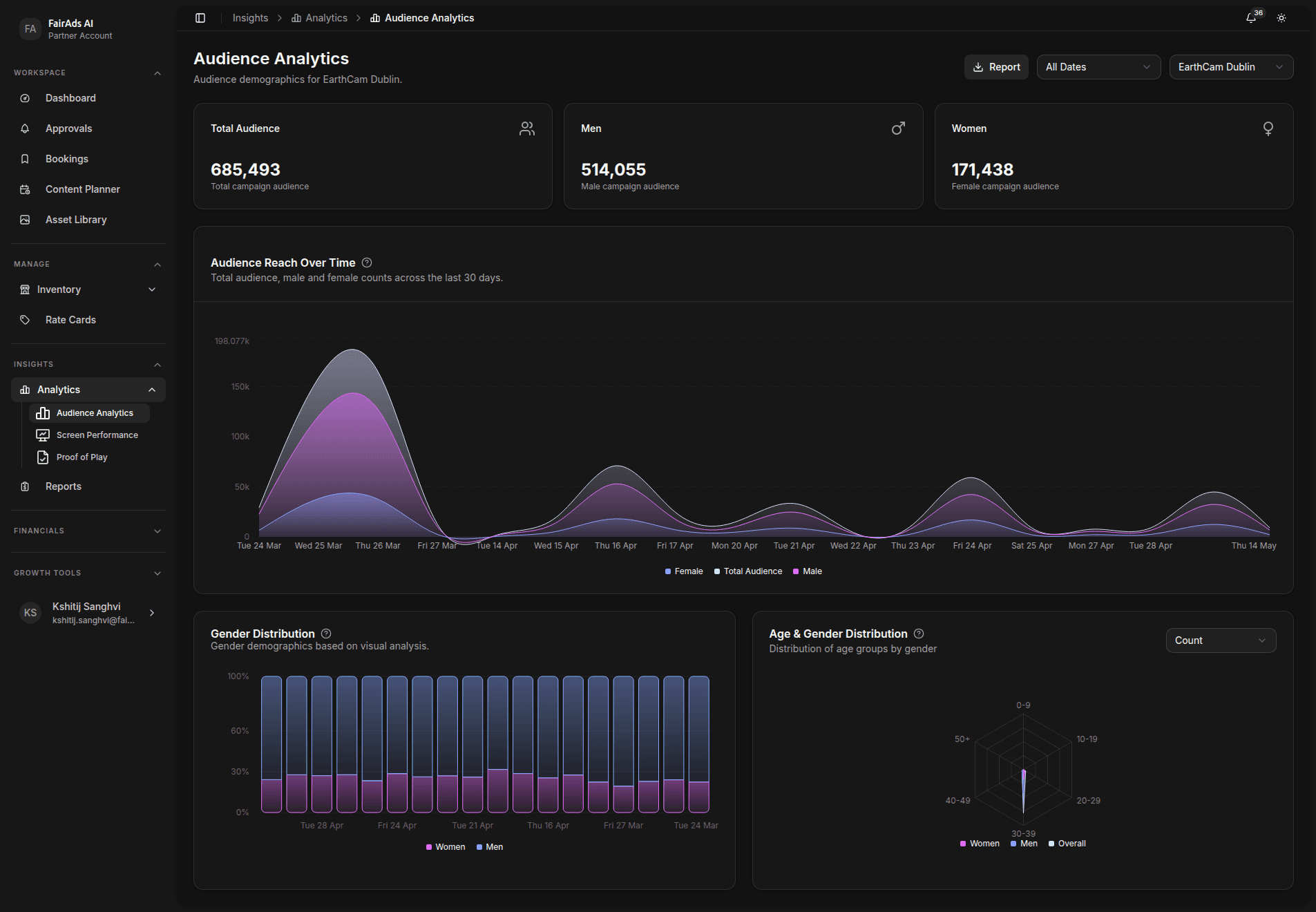
Analytics Metrics Breakdown
- Total Audience: Total cumulative campaign audience across all screens and date ranges.
- Men / Women: Gender-split audience counts derived from visual AI analysis.
- Audience Reach Over Time: Time-series chart tracking total, male, and female audience counts across the last 30 days.
- Gender Distribution: Demographic pie/bar chart based on real-time visual footfall analysis.
- Age & Gender Distribution: Breakdown of audience by age group (0–8, 10–18, 20–29, 30–39, 40–49, 50+) and gender.
Analytics data is populated once a screen is connected and live impressions are being processed by FairFlow®. Select a screen using the Select a screen dropdown in the top-right to begin viewing data.
Screen Performance (Live)
The Screen Performance view provides real-time engagement metrics for individual screens:
🔗 Portal URL: https://partner.fairads.in/analytics/performance
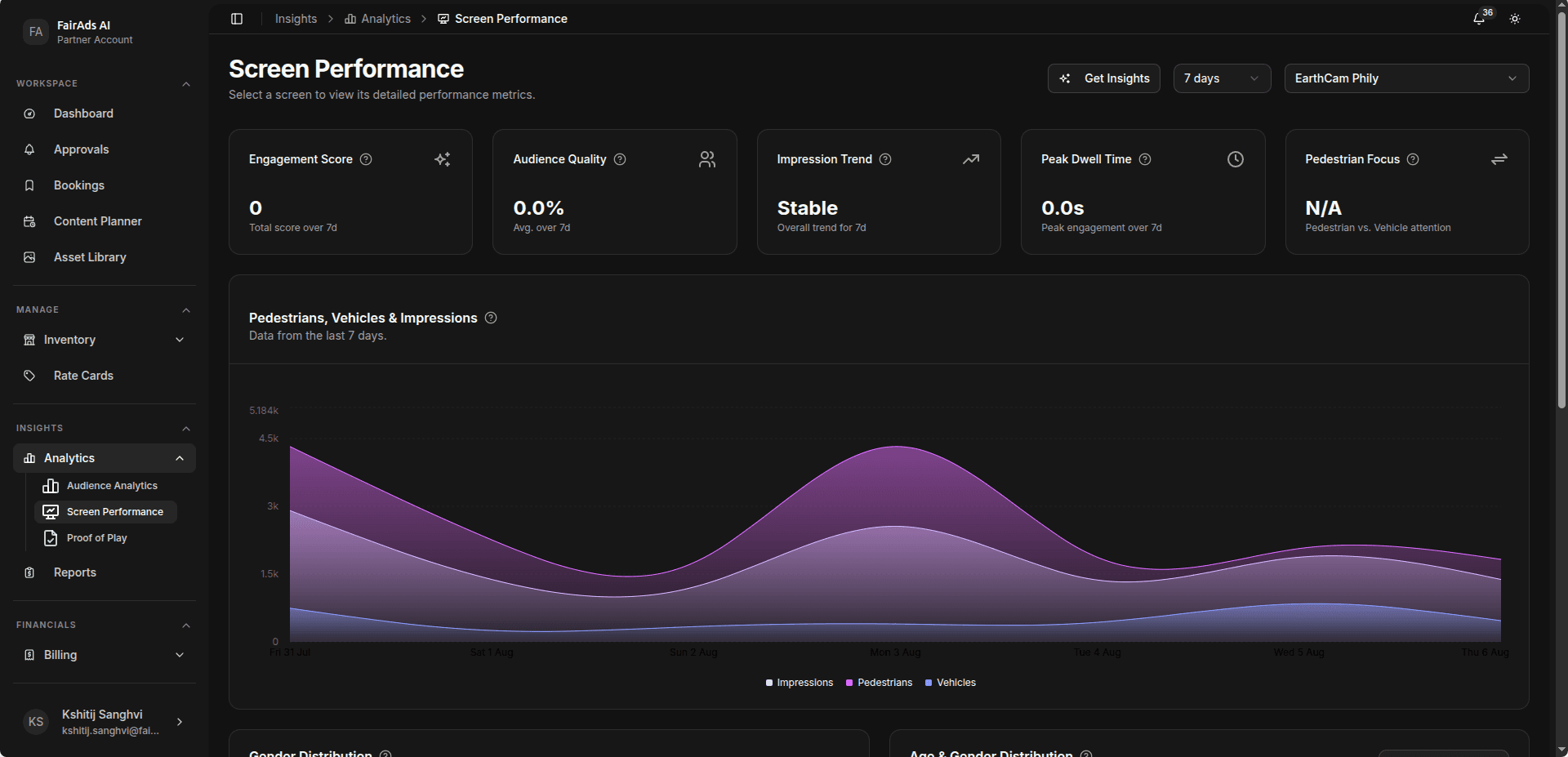
| Metric | Description |
|---|---|
| Engagement Score | Live attention score for active audience interactions. |
| Audience Quality | Live audience profile by age range (20–29, 30–39, 40–49). |
| Impression Trend | Current traffic momentum — Stable, Rising, or Declining. |
| Peak Dwell Time | Session's peak engagement duration in seconds. |
| Pedestrian Focus | Ratio of pedestrian vs. vehicle attention on the screen. |
The Pedestrians, Vehicles & Impressions panel shows live pedestrian and vehicle counts powered by the FairFlow® real-time data stream.
Proof of Performance (POP) Verification
FairAds AI generates audit-ready Proof of Performance reports for every active campaign:
- Go to Insights > Analytics.
- Filter by Screen ID, Campaign Name, or Date Range.
- Download timestamped play logs containing playback timestamps, screen telemetry logs, and verified impression counts.
Next Steps
- View Reports → — Export campaign playback summaries and revenue reports.
- Screen Performance → — Monitor live screen engagement data.
- Site Planner → — Use analytics to evaluate new screen locations.
How is this guide?